

Install and help
Installing takes a minute and needs no administrator password. Here's what to expect, and answers to what people ask most.
Installing
Ghost Writer installs just for you. Because it's new and not yet signed with a paid certificate, Windows double-checks it the first time.
-
Download
Click Download (671 MB). If your browser says the file "isn't commonly downloaded", choose Keep (in Edge: the ··· menu, then Keep, then Keep anyway).
-
Open it
Open Ghost-Writer-Setup.exe. If Windows says "Windows protected your PC", click More info, then Run anyway.
-
Enter your key and talk
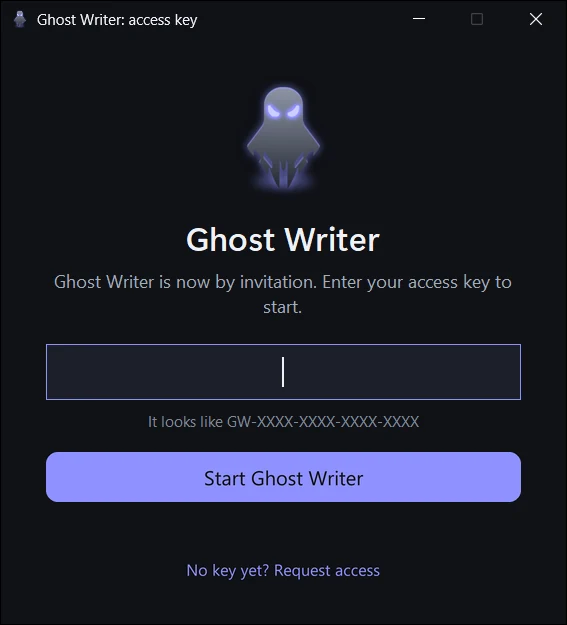
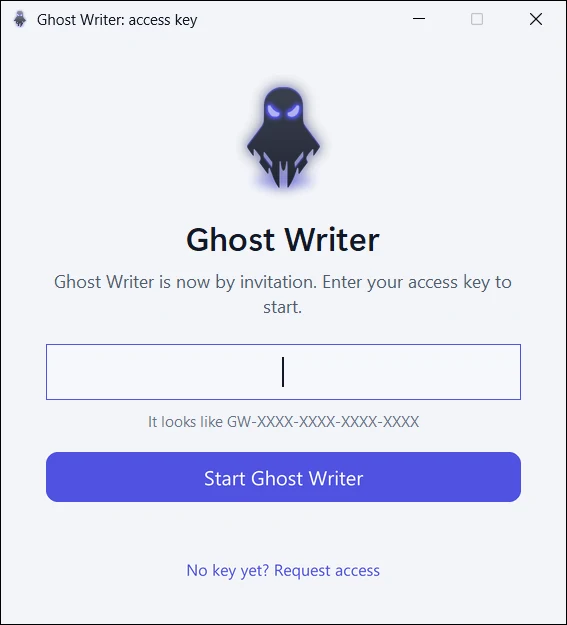
Click through the installer and Ghost Writer opens. Enter your access key. Then click where you want text, hold Ctrl+Win, speak, and let go.
Why the warning? Windows recognises a publisher once it has a paid code-signing certificate and a track record. Ghost Writer doesn't have one yet. You only see the warning the first time.
If Windows or your antivirus blocks it
Antivirus blocked it
Some antivirus apps are wary of any new app that isn't signed yet. First check the file is the real one. If it matches, restore or allow it in your antivirus, and please tell us which antivirus it was, so we can report the mistake to its maker.
Smart App Control blocked it
On some Windows 11 PCs, Smart App Control blocks every app that isn't signed, with no "Run anyway" button. Ghost Writer can't run on those PCs yet. Turning Smart App Control off is your own security choice, and on many PCs it can't simply be turned back on, so we don't recommend doing it just for Ghost Writer.
It says my key can't be checked
Ghost Writer checks your key online when it starts and every hour. Without internet it keeps working for up to 3 days. If it still can't check, it says why: often a firewall or a work network blocking it.
How do I know the download is real?
Ghost Writer comes only from these places. Anything else is not from us.
- This website: ghostmediaworks.com (and our older address, getghostwriter.github.io).
- Downloads: github.com/getghostwriter, where every Download button on this site leads.
- Keys arrive only by email after you request one here. We never ask for payment or passwords.
Every installer has a fingerprint. To check yours, open PowerShell and run:
Get-FileHash "$env:USERPROFILE\Downloads\Ghost-Writer-Setup.exe"
The Hash shown must match Ghost Writer 6.8's fingerprint:
cae363bcb5f0f7d69e341515b3b048abe76148edad8c6b7d7c71936074f34e8b
What you need
Windows 10 or 11, 64-bit
A 671 MB download and about 1 GB of space once installed. No administrator rights needed. Speech accuracy in Settings (Light, Balanced, Most accurate) suits slower or faster PCs.
A microphone, and English
Ghost Writer understands English only, for now. Any microphone: built-in, headset or USB. Windows must let desktop apps use the microphone (Settings > Privacy & security > Microphone).
For Advanced (optional)
An NVIDIA, AMD or Intel graphics card with its own memory: 4 GB or more for the bigger speech model, 6 GB or more for the AI too. A one-time download from inside the app: 4.8 GB (NVIDIA) or 3.3 GB (AMD and Intel).
Known issues
Ghost Writer 6.8: no known issues listed yet. Voice commands and voice notes are marked beta and still improving.
Something wrong? Tell us on the feedback page or at ghostthepatriot@gmail.com, and we'll list it here once we know.
Questions
Is it really free?
Yes. It's free, by invitation: request access and you get a key. No subscription, no ads. With your key you can use everything, including Advanced mode if your PC has a graphics card for it.
Does anything I say leave my PC?
No. Your voice is turned into text on your own PC, and nothing you say or write is uploaded, to us or anyone else. Dictation works with Wi-Fi off.
Ghost Writer only goes online to check your access key (the key, a scrambled id of your PC and the version), to check for a new version and, if you choose it, to download Advanced mode. Privacy policy
How do I get an access key?
Fill in the request form. We read every request, and your key arrives by email, usually within a few days. Check your spam folder too. Download Ghost Writer, open it and enter the key.
Can I use my key on more than one PC?
Yes, on up to 2 PCs. Please don't share it. To use a different key: Settings > App > Access key > Change key.
Which apps does it work in?
Almost anywhere you can type: email, Word and Google Docs, chat apps, your browser, code editors and more. It's built never to type into or read password boxes.
Do I need a graphics card?
No. Standard mode works on any Windows 10 or 11 PC, using the processor. With an NVIDIA, AMD or Intel graphics card that has its own memory, you can add Advanced mode from inside the app.
How do I get updates?
Ghost Writer checks for a new version when it starts and once a day, and offers it with one click (you can turn the check off in Settings > App). Your dictations, notes, dictionary and settings are kept. See What's new.
How do I uninstall it?
Open Windows Settings, then Apps, then Installed apps (on Windows 10: Apps & features). Find Ghost Writer and choose Uninstall. It asks whether to also delete your saved dictations, notes, dictionary and settings.
Is there a Mac, Linux or phone version? Other languages?
No. Ghost Writer is for Windows 10 and 11 (64-bit), and it understands English only, for now.
I found a bug, or I have an idea. Where do I tell you?
On the feedback page, or by email at ghostthepatriot@gmail.com. Tell us what you were doing and what happened, but please never include anything private you dictated.